
COD Order Confirmation on WhatsApp: A 6-Step Flow
A six-step flow for confirming COD orders on WhatsApp before they ship: permission, who to message, the template, what counts as confirmed, what to do on no reply, and how to measure it.
 By Nitish KumarNov 1, 2026 • 7 min read
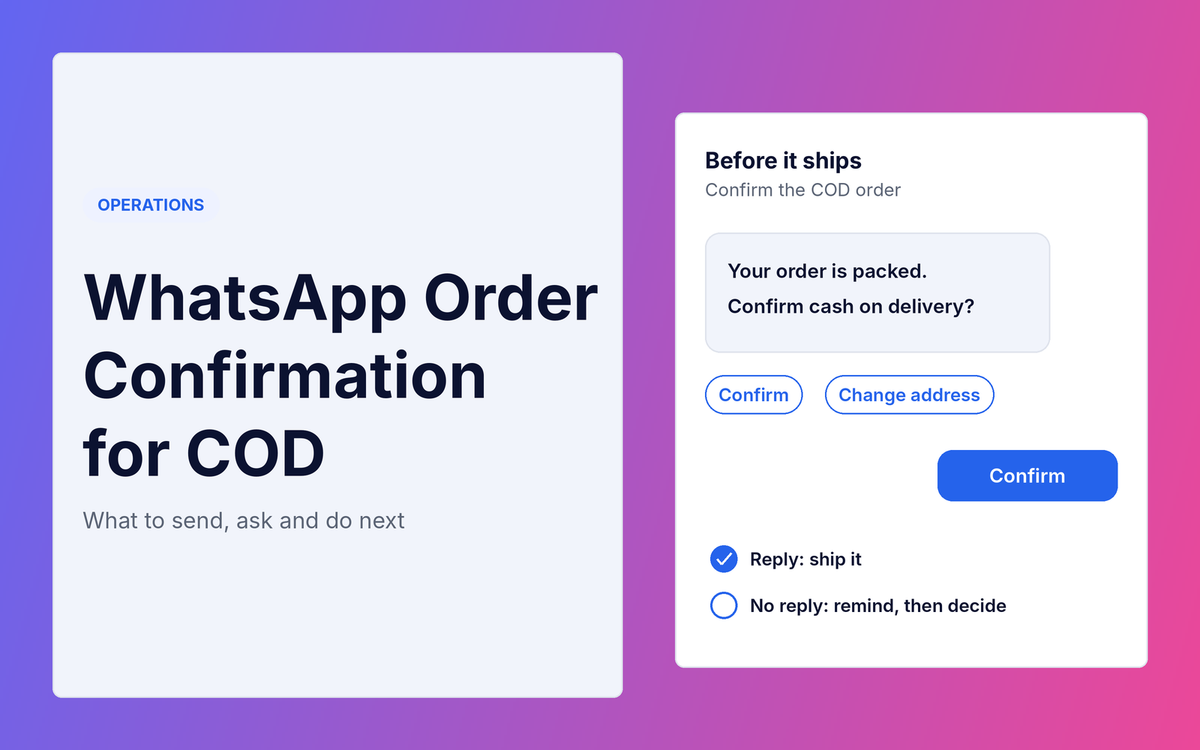
A COD order is a promise that someone will be home with cash. A confirmation message checks that promise before you pay to ship it. This post is about the flow: when to send the message, what to ask, what counts as confirmed, and what to do when nobody replies. I use WhatsApp because that is where most Indian shoppers already are, but the same flow works over SMS or a call. I do not compare tools. For the wider picture on why COD orders come back, start with RTO in E-commerce: COD vs Prepaid.
Does a confirmation message cut RTO?
I could not find a trustworthy published figure for how much it cuts. A Shipway report, as covered by Media Infoline in July 2025, names automated COD order and address confirmation as a way to verify customer intent before dispatch, but it reports no result. Shipway also sells such a tool, so read that as a description, not as proof. Vendor pages that quote a percentage give no study or method, so I do not repeat them.
That is why the last step of this flow is to measure your own result. Everything before it is about not making things worse.
Step 1: Get permission before you message
Meta's rules for the WhatsApp Business Platform say a business must obtain opt-in before messaging people. The opt-in has to state clearly that the person agrees to receive communication from you, and it has to name your business. Meta lists a website as a supported place to collect it, and says the business must comply with applicable law. I am not a lawyer, so check the legal side with an adviser.
In practice, add a clear line at checkout, next to the phone number, such as "We will confirm your order on WhatsApp from [your store name]". Keep a record of who agreed, and honour any request to stop. Meta says people can block or report a business, and that a business with excessive negative feedback may be limited or removed from the platform.
Step 2: Decide which orders get the message
You have two options, and the right one depends on cost and speed.
- Every COD order. Simple, and no order slips through. It costs a message per order and delays every dispatch while you wait for a reply.
- Only risky orders. Orders from PIN codes where your RTO is high, first-time buyers, or large baskets. It costs less and delays fewer orders, but you must be able to tell which orders are risky. How to Find and Block Risky Pincodes for COD shows how to rank your PIN codes.
Start with the risky group. Moving to every order is easy later if the results justify it.
Step 3: Send it fast, using an approved template
Meta's pricing page says template messages can be sent to a user at any time, while non-template messages can only be sent inside an open customer service window. That window lasts 24 hours and starts when the customer messages you. A customer who has just placed an order has not messaged you, so your first message has to be a template approved by Meta.
Meta groups templates into marketing, utility and authentication. A confirmation of an order the customer just placed is transactional, so I would expect it to be submitted as a utility template. Meta decides the category when it reviews the template, so check what your tool shows.
Send it soon after the order, because the customer still remembers placing it and the clock on dispatch is already running. What to put in it:
- Your store name, the order number and a short item summary
- The amount to pay in cash on delivery
- The delivery address as you have it
- A clear ask: reply "1" to confirm, "2" to change the address, "3" to cancel. If your tool supports reply buttons, use those instead of numbers
Keep it short. One question per message works better than three.
Step 4: Define what "confirmed" means
Write the rule before you switch it on, so everyone treats orders the same way.
- Confirmed: the customer replied or tapped to confirm. Mark the order and ship it.
- Address change: the customer sent a new address. Update the order, then ship it. Do not treat this as a refusal.
- Cancelled: the customer said no. Cancel it. You have just saved the cost of an RTO.
- No reply: this is not a refusal. It means you do not know yet. Silence is the group that needs a rule, which is the next step.
Step 5: Decide what happens on no reply
Send one reminder after a few hours. How many hours is your choice, based on how fast you promise delivery. Then pick one of three paths for orders that still have not answered.
- Ship anyway. You lose nothing on genuine buyers who simply did not see the message, but you ship orders that may come back.
- Call first. Costs staff time. Reserve it for larger baskets.
- Hold or cancel. Safest against RTO, but you lose genuine orders and delay the rest.
Do not guess which path is right. Measure it. For a month, track the RTO rate of orders that confirmed and of orders that never replied. Then compare the no-reply rate with your break-even RTO rate, which I explain in What Is a Good RTO Rate?. Example, not real data: if your break-even rate is 47% and your no-reply orders return at 55%, shipping them without a call loses money, so call or hold them. If they return at 30%, shipping them is fine.
Waiting has a cost too. In the Shipway FY25 data, COD RTO was 22% when the first attempt came within 1 to 2 days and 35% after more than 5 days. The report gives no method, so this is a correlation, but it is a reason not to leave orders waiting for days. The net gain test in How to Reduce RTO Without Removing COD helps you weigh the prevented RTOs against the genuine orders you lose.
Step 6: Log it and measure it
Record these for each order: message sent, message delivered, reply received, confirmed, address changed, cancelled. After 30 days you can answer the only question that matters: did the orders you confirmed return less than the orders you did not?
- Confirmed rate = confirmed orders ÷ orders messaged.
- RTO rate by group = RTOs ÷ final orders, for confirmed, no-reply and not-messaged orders.
- Cancelled orders are RTOs you did not pay for. Multiply them by C, the full cost of one RTO.
Put your numbers into the free RTO Cost Calculator to see what a lower rate is worth each month.
What does it cost?
Meta's pricing page says it charges per message, by message category and by the recipient's country calling code, and only for messages delivered. It lists utility templates sent inside an open window as free from 1 July 2025 and charged per message since 1 October 2026, and it gives each business phone number 1,000 free service messages a month since 1 October 2026. I am not quoting rupee rates because they change, so check Meta's current rate card for India. Your tool provider may charge on top.
Add the message cost to the cost of the fix when you run the net gain test. A confirmation that costs less than the RTOs it prevents is worth it. One that does not is a leak.
What to look for in a confirmation tool
I am not naming one. Ask any provider these questions, and get the answers in writing.
- Does it use Meta's WhatsApp Business Platform, so that the template and opt-in rules above apply?
- Does it start from a Shopify order, and write the result back to the order, for example as a tag?
- Can a customer change the address inside the chat?
- Can you set reminders and a time limit for orders that do not answer?
- Does it log every message so you can measure the groups in Step 6?
- Does it respect opt-out requests?
- Is Meta's message fee passed through at cost or marked up, and what is the monthly fee?
COD order confirmation: frequently asked questions
Do I need permission to send a WhatsApp confirmation?
Yes. Meta says businesses must obtain opt-in before messaging people, and the opt-in must name your business. A website is a supported way to collect it.
How long should I wait for a reply?
I found no sourced number. Choose it from your delivery promise, send one reminder, and measure whether late repliers return less than silent ones.
Should I confirm every COD order?
Start with the risky ones, and extend only if the results justify the cost and the delay to dispatch.
What if the customer never replies?
Treat it as unknown, not as a no. Measure the RTO rate of the no-reply group and compare it with your break-even rate before you decide.
Your action checklist
- Add a clear WhatsApp opt-in line at checkout and keep a record of it.
- Choose which COD orders get the message.
- Write the template: order, amount, address, and a one-tap or one-word reply.
- Write the rule for confirmed, address change, cancelled and no reply.
- Send one reminder, then apply your no-reply rule.
- Log every step for 30 days and compare RTO rates by group.
Your next step: Write the "confirmed, changed, cancelled, no reply" rule on one page today, before you pick any tool.
Sources: Meta, WhatsApp Business Platform pricing; Meta, get opt-in for WhatsApp; Meta, policy and spam enforcement; Shipway ShipNotes FY25, as reported by Media Infoline (29 Jul 2025).